
What is a Connected Pulse?
A Connected Pulse represents the total connected call duration used by your voice agents on the UserVox platform.It measures how much talk-time was consumed during successful connections with customers.
- Each pulse equals 1 minute of connected call duration.
- The count rounds up to the next full minute:
- 0–59 seconds → 1 pulse
- 60–119 seconds → 2 pulses
- and so on.
How to Check Connected Pulses in UserVox
You can track total pulses used per month or week directly from the UserVox dashboard:Option 1: Account Settings → Pulses
- Click your profile (top right corner).
- Select Account Settings.
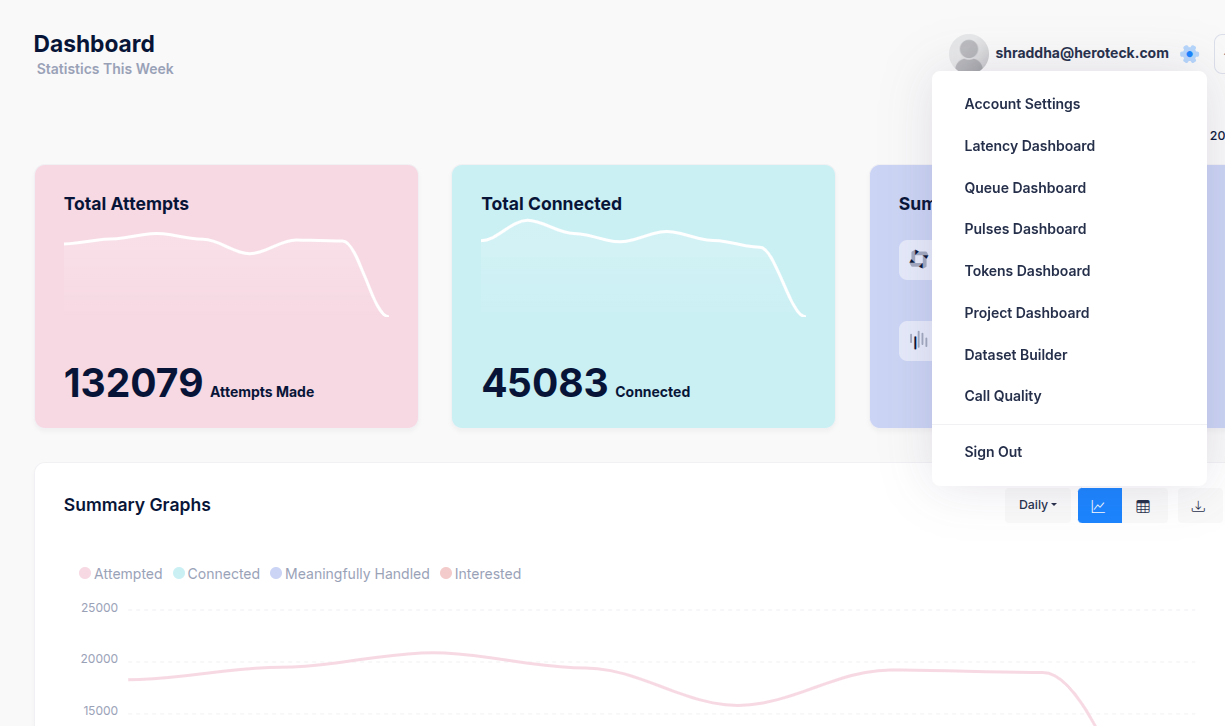
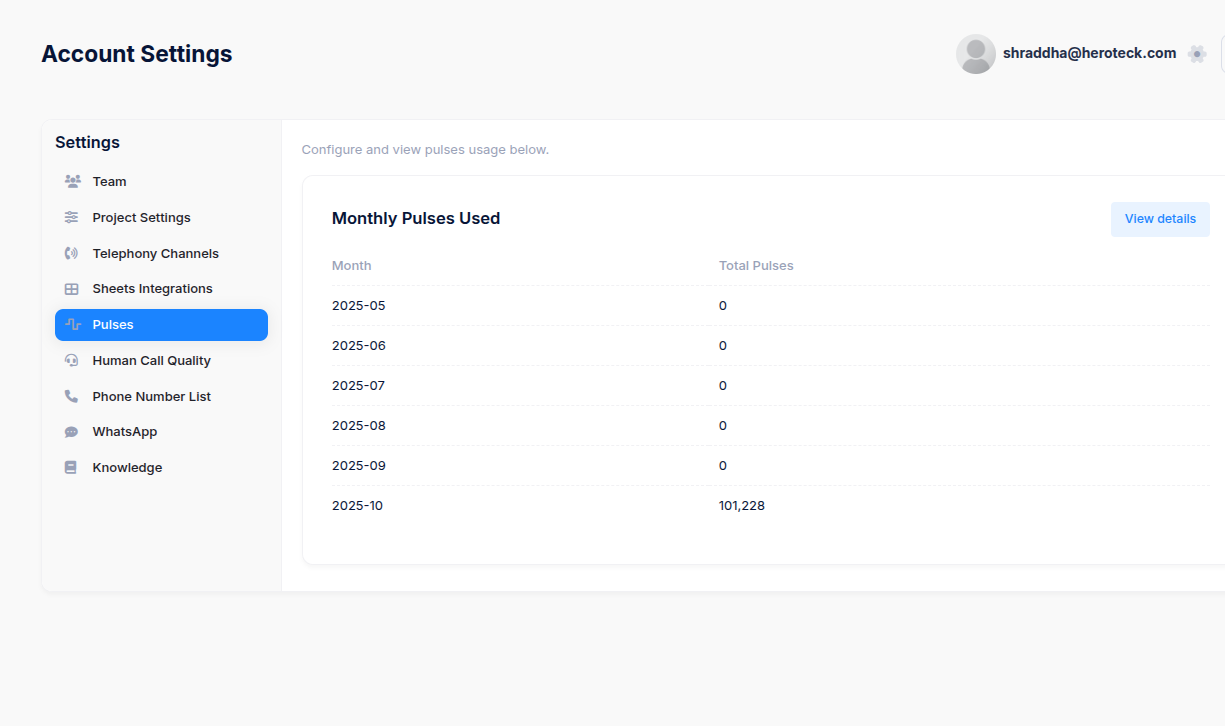
- From the left sidebar, go to Pulses.
- You’ll see the Monthly Pulses Used section.
- Example: October 2025 – 101,228 pulses
This means 101,228 minutes of connected talk-time were consumed in October.
- Example: October 2025 – 101,228 pulses
Option 2: Pulses Dashboard
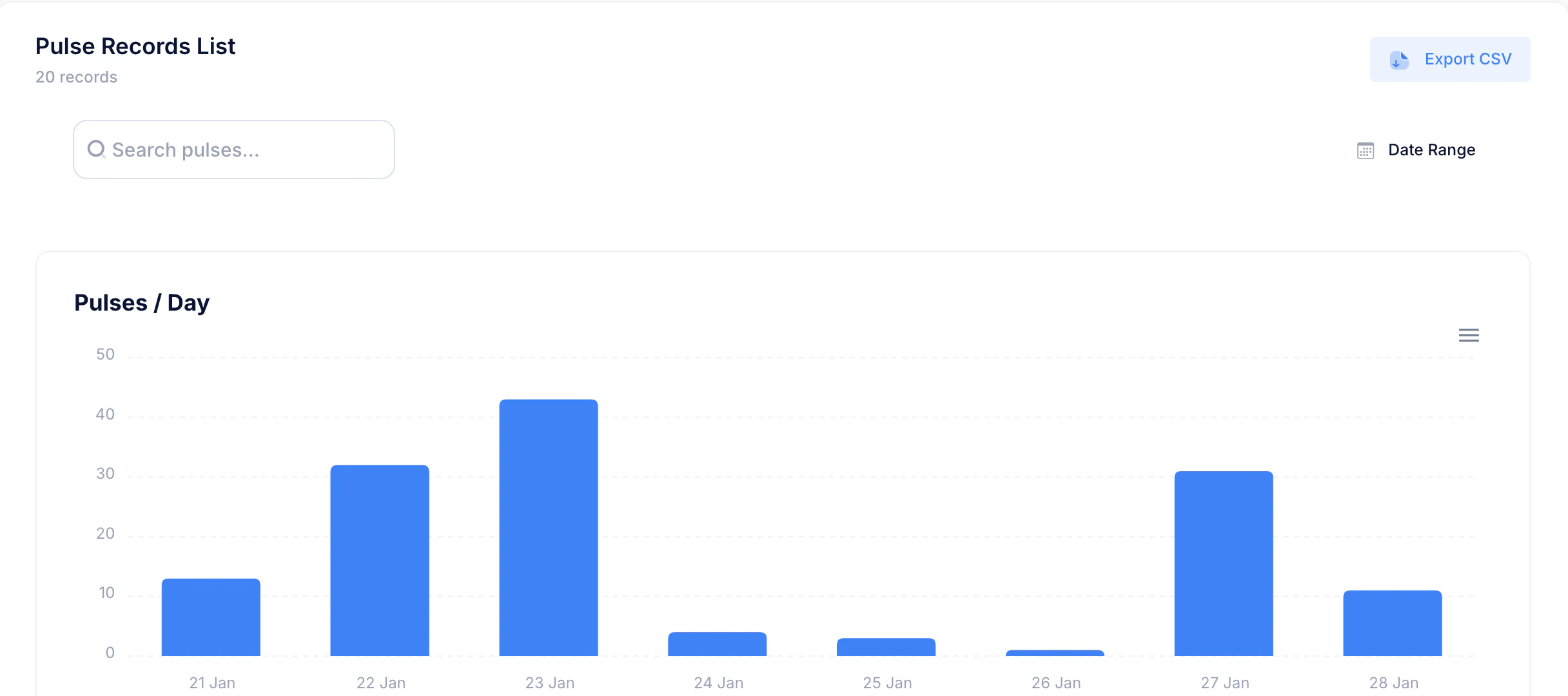
- From the profile dropdown, click Pulses Dashboard.
- You’ll get a more detailed, date-wise or project-wise pulse usage breakdown.
- Each pulse count here reflects only connected calls — attempts that were answered and reached the user.
Relation Between Attempts, Connections, and Pulses
So for instance:
- 132,079 attempts → all calls made.
- 45,083 connected → actual successful connections.
- 101,228 pulses → total talk minutes used for those 45,083 connections.