
Step 1: Go to Leads Section
- From your UserVox dashboard, navigate to the Leads section in the left sidebar.
- You will land on the Leads List screen where you can view, upload, and manage all leads.
Step 2: Click “More” → Add Test Lead
- On the top-right of the Leads List screen, click the More button (next to the “Upload Leads” button).
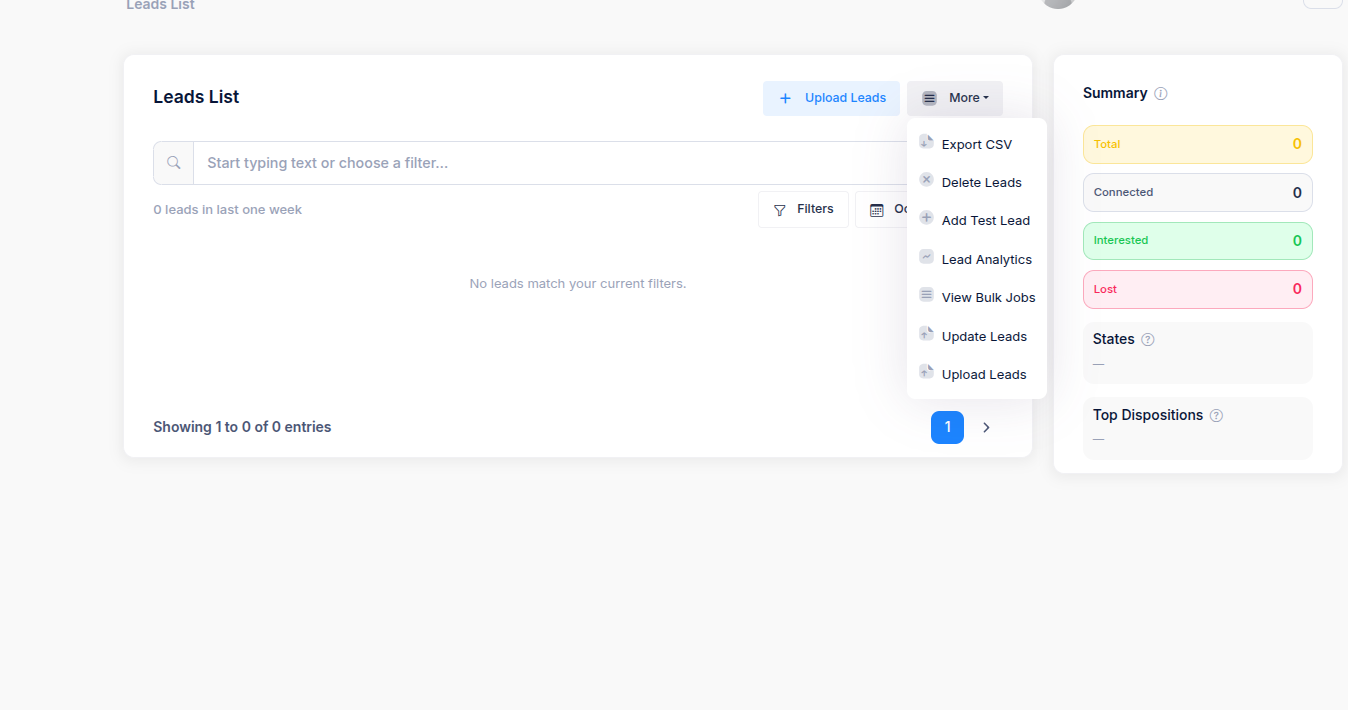
- From the dropdown menu, select Add Test Lead.
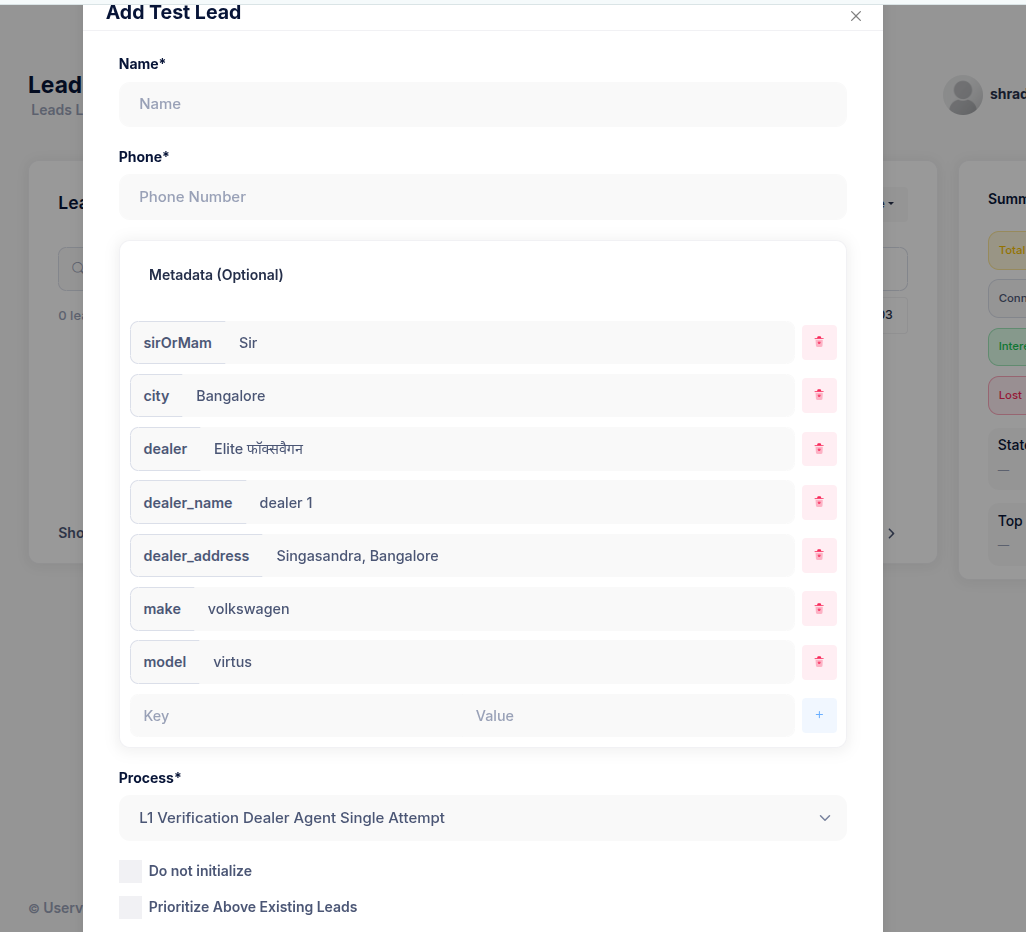
- This opens a new popup window titled Add Test Lead.
Step 3: Fill in Basic Details
In the popup:- Name → Enter the test lead’s name.
(Example: Rajesh Kumar) - Phone → Enter the test mobile number (ensure it’s valid and reachable for testing).
(Example: 9876543210)
Step 4: Add Metadata (Optional but Recommended)
Use the metadata fields to simulate real lead data and ensure your bot flow receives the right context. This metadata is driven by the variables in the agent and is dynamically populated based on the process and agent requirement. Some common fields:
To add a new key-value pair, click the + icon at the bottom of the metadata section.
Step 5: Select the Process
- Scroll down to the Process dropdown.
- Choose the correct process for the test call.
(Example:L1 Verification Dealer Agent Single Attempt)
Step 6: Turn on “Prioritize Above Existing Leads”
Enable the “Prioritize Above Existing Leads” checkbox to ensure this test lead is called immediately, ahead of regular leads.✅ This is especially useful for quick bot testing. (Optional)
If you want to prevent this test lead from initializing automatically, check “Do not initialize” — but usually, you should leave it unchecked.
Step 7: Save and Trigger
Once all details are filled:- Click Submit or Add Lead (depending on your version).
- The test lead will appear in the Leads List and be queued for an immediate call.
Best Practices
- Use your own or a teammate’s reachable number for test calls.
- Keep metadata realistic for accurate flow testing.
- Delete old test leads periodically to keep your data clean.