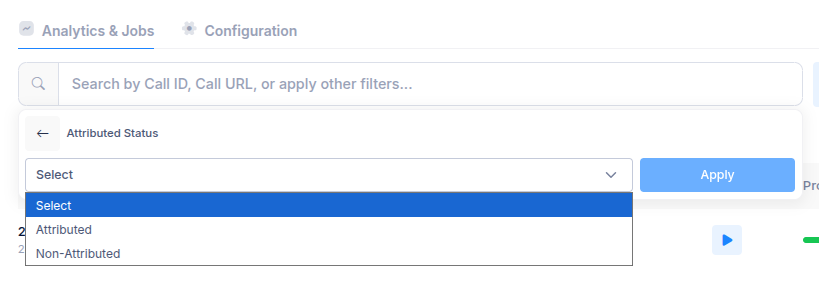
Each call is analyzed, scored, and categorized—e.g., Attributed or Non-Attributed—based on compliance, completeness, and contextual understanding.
1. Configuration Setup
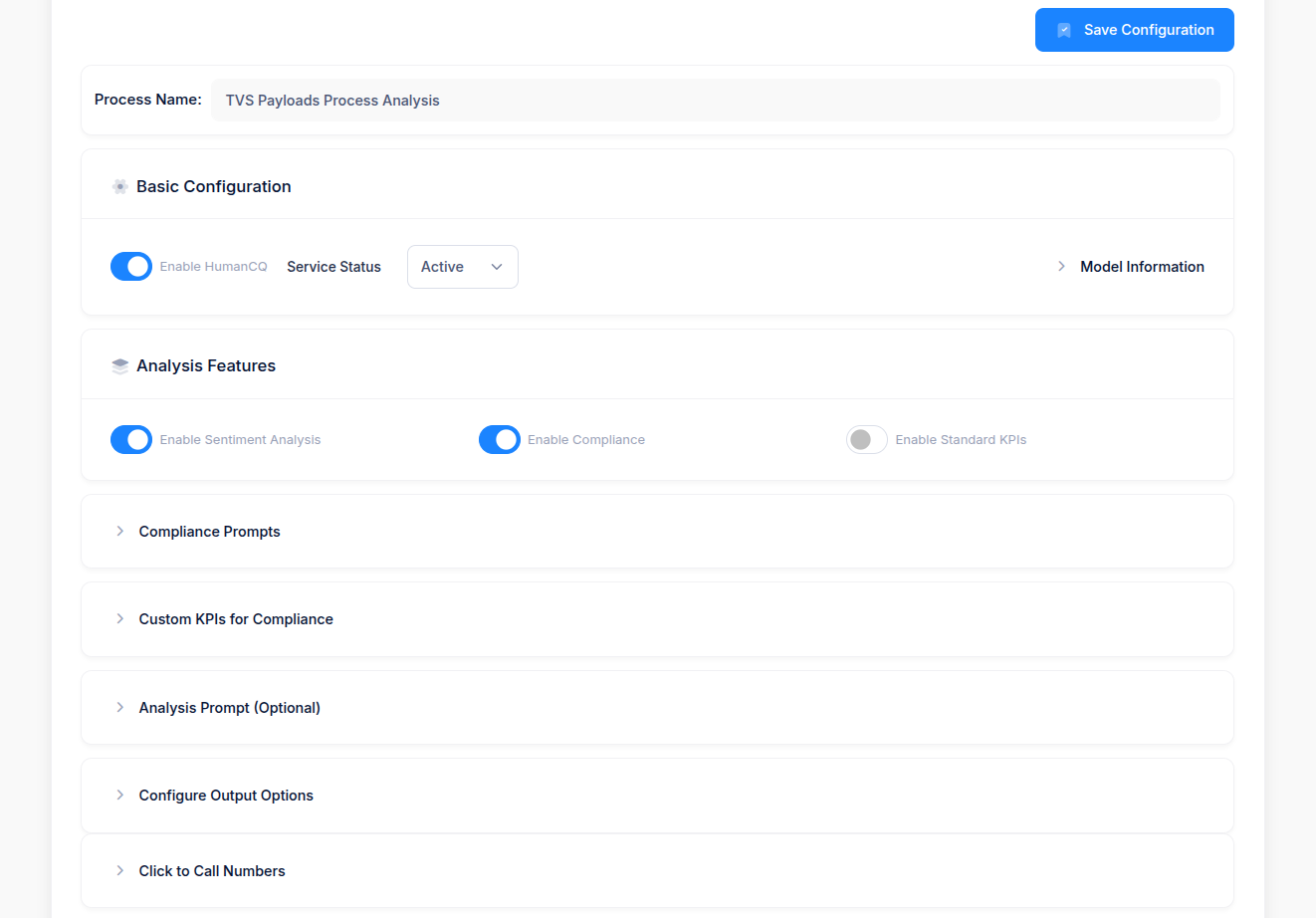
Under the configuration panel, users can:- Enable HumanCQ for active analysis.
- Set Service Status as Active/Inactive.
- Choose the desired Analysis Features, such as: ✅ Sentiment Analysis ✅ Compliance Checking ⚪ Standard KPIs (optional)
2. KPI Setup and Compliance Configuration
Users can define Custom KPIs under:- Compliance Prompts: To check for mandatory phrases, disclaimers, or actions.
- Custom KPIs for Compliance: To track business-specific quality measures (e.g., greeting, verification, offer explanation, closure).
- Analysis Prompt (Optional): For open-ended AI-driven evaluation.
3. Call Analysis and Output
Once calls are processed:- Each call is auto-analyzed by HumanCQ.
- The output includes:
- Call Status: Completed / Failed
- Sentiment Analysis: Positive / Negative / Neutral (if enabled)
- Attribution Status: Attributed / Non-Attributed
- Additional Metrics: Captured or Missing key fields (e.g., Brand, Model, Booking Name, Dealer City, etc.)
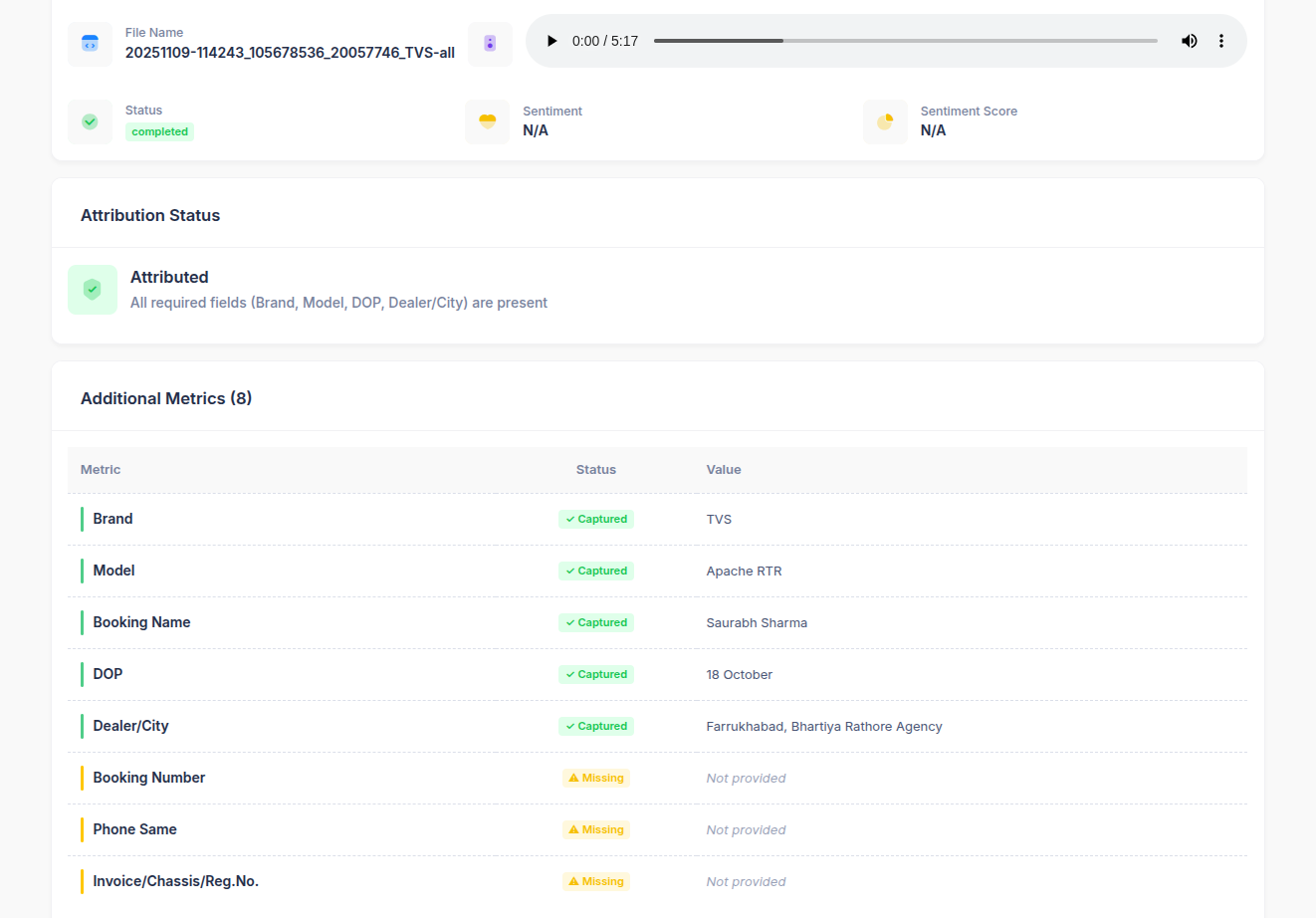
Example Output:
This helps QA teams quickly see data completeness and compliance health across calls.
4. Attribution Classification
Based on KPI fulfillment, each call is automatically classified as:- Attributed → All required fields (e.g., Brand, Model, DOP, Dealer/City) captured.
- Non-Attributed → One or more key fields missing or incomplete.
- Attributed
- Non-Attributed
5. Filtering and Analysis View
In the Analytics & Jobs section, QA managers can:- Search using Call ID, Call URL, or other filters.
- Apply filters like Attribution Status to narrow down relevant calls.
- Play back recordings and review extracted data or KPI results.