Before the call: read the brief
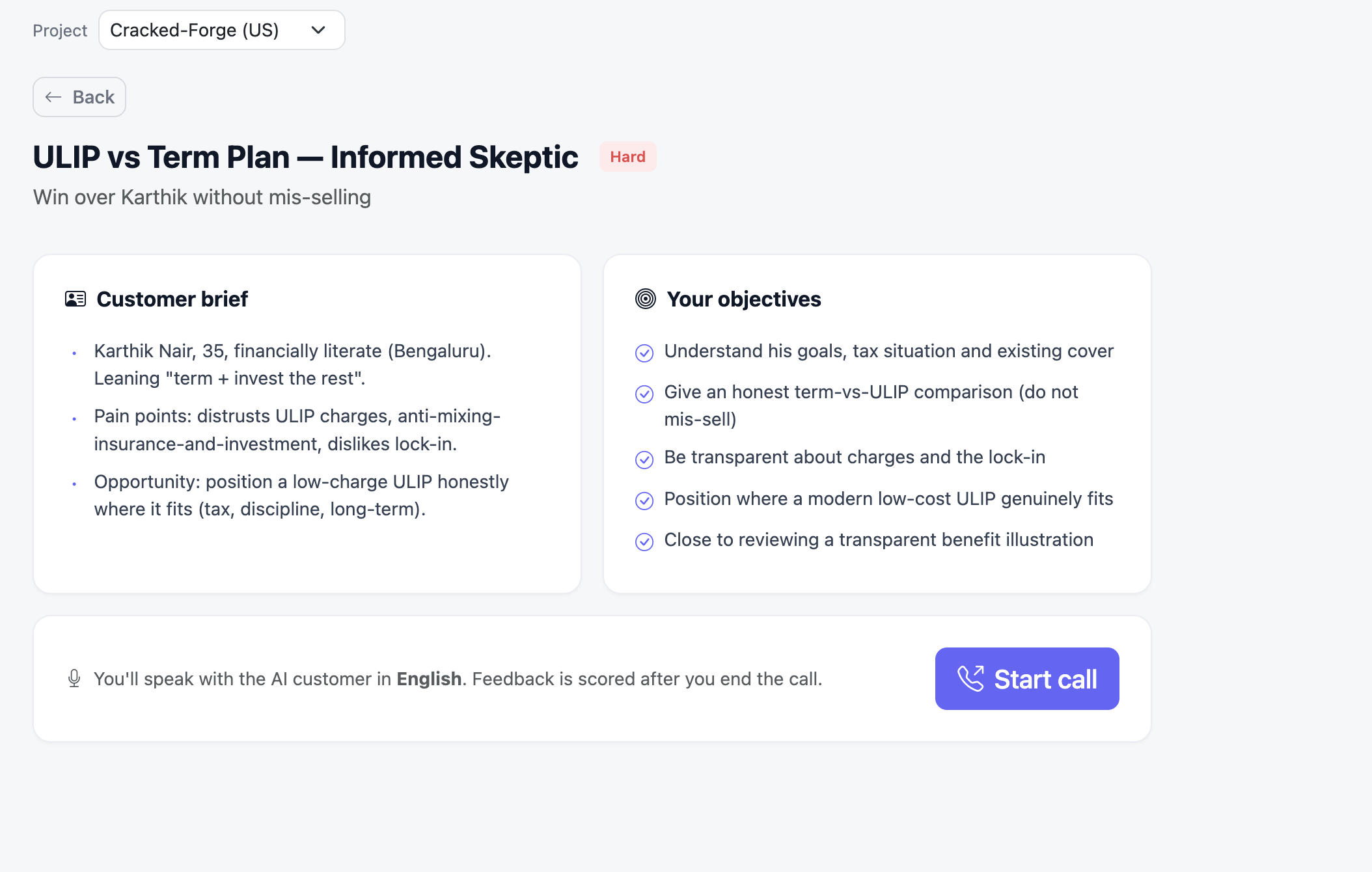
Clicking Start practice opens the scenario page. Read both panels before you dial — they’re the rubric you’ll be scored against.- Customer brief — the persona, their pain points, and the opening (for example, Karthik Nair, 35, who distrusts ULIP charges and dislikes lock-in).
- Your objectives — the checklist the AI grades against, such as “give an honest term-vs-ULIP comparison” and “be transparent about charges.” Hit these and your scores follow.
- Call language — the bar at the bottom tells you which language the customer speaks. You can reply in the same language or in Hinglish; Forge scores either.
On the call
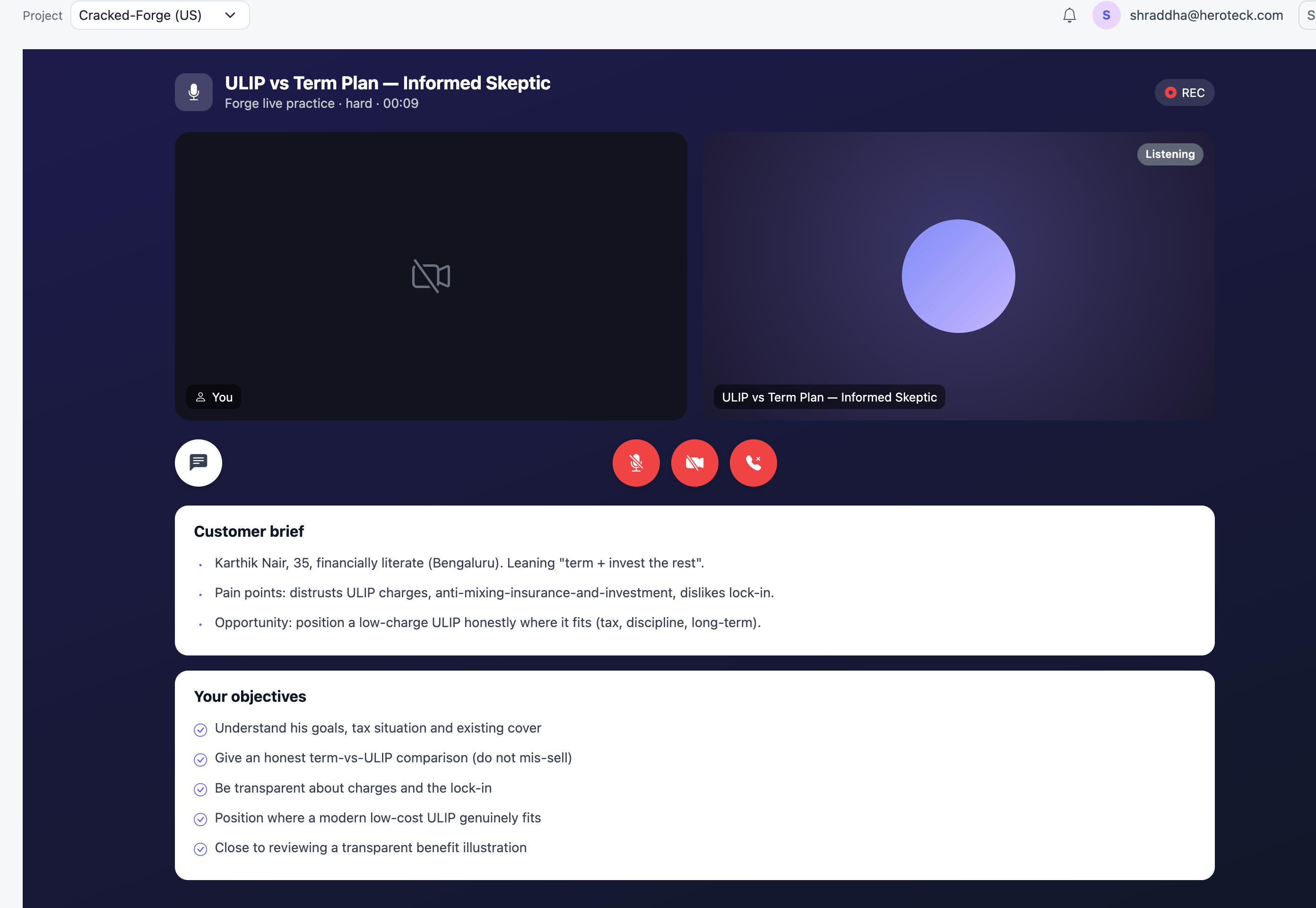
This is a real voice call. You speak; the AI customer answers in character, in real time.- REC and timer — confirms the call is recording. The recording becomes your scorecard.
- Listening — the AI is hearing you and replies when you pause. Talk in natural turns.
- Mute mic — pauses your audio; the customer can’t hear you while muted.
- Camera — optional. Forge scores voice, not picture.
- End call — the red phone ends the call and sends it for scoring. Use it once you’ve closed or stalled.
- Chat — opens a live transcript as the conversation happens.
The scorecard
When the call ends, Forge processes the recording and opens the scorecard, which has four tabs.Summary
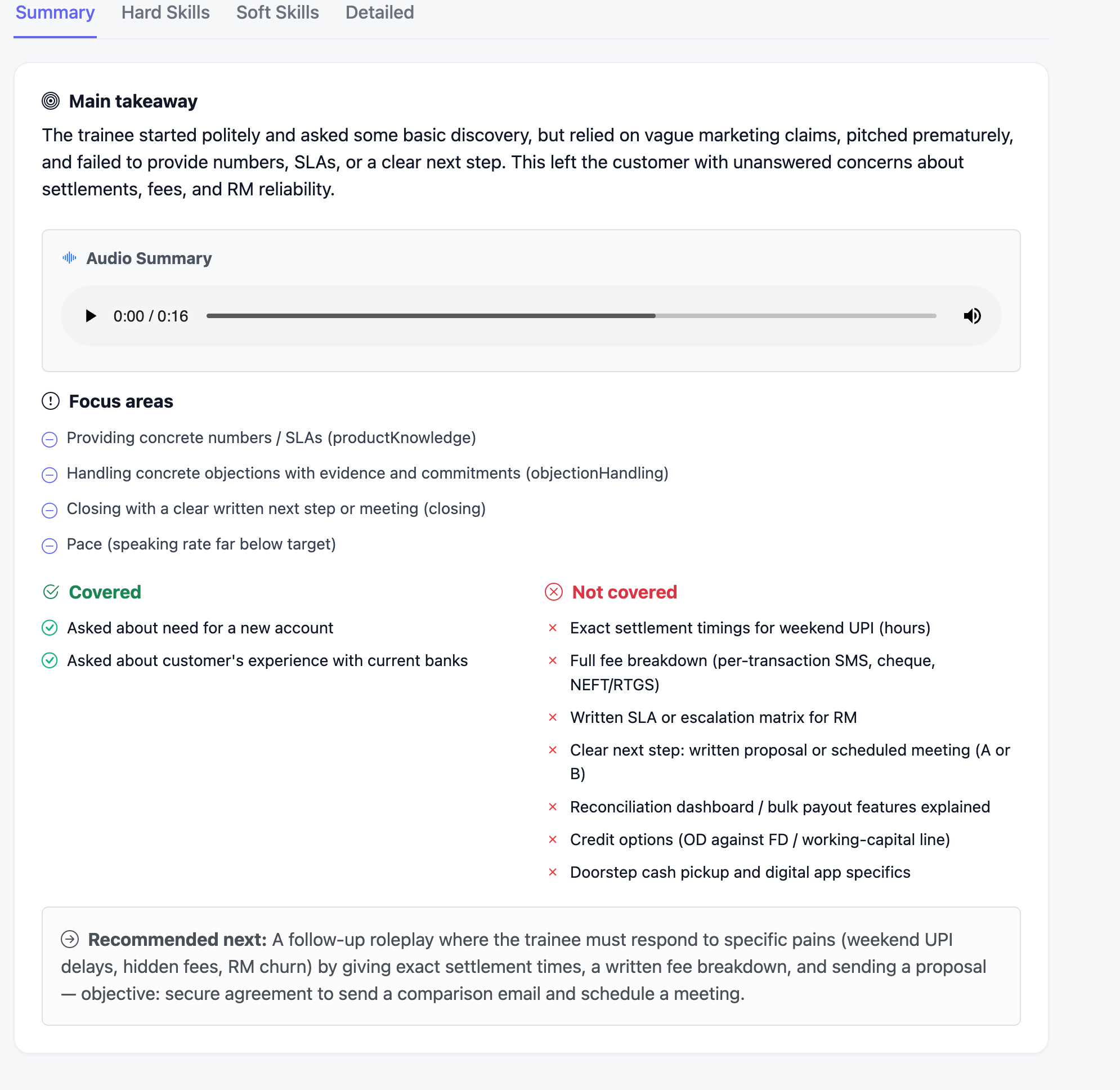
The one-screen verdict on the call.- Main takeaway — a plain-language verdict on how the call went.
- Audio Summary — a short spoken recap you can play back.
- Focus areas — the few things to fix first, each tagged to a skill.
- Covered vs Not covered — objectives you hit against the ones you missed.
- Recommended next — the follow-up roleplay to attempt next, with the objective to aim for.
Hard Skills
Scores the substance of the sale out of 10, with evidence and a tip for each:- Active Listening — discovery questions, paraphrasing, letting the customer lead.
- Product Knowledge — concrete features, SLAs, and fees, not marketing adjectives.
- Objection Handling — acknowledging pains and answering with evidence.
- Closing — offering a clear, specific next step.
- Trust Building — transparency and commitments over vague promises.
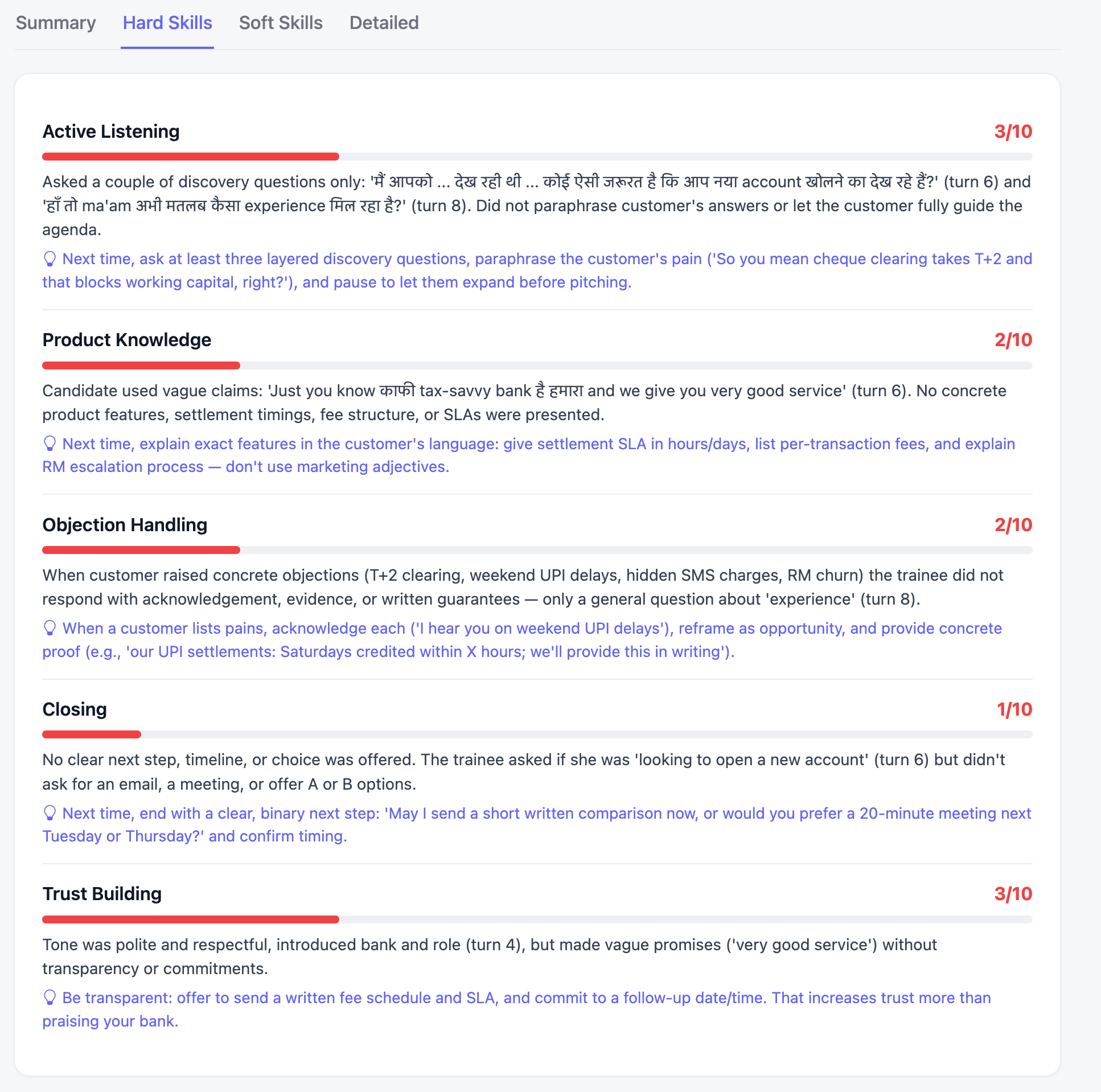
Soft Skills
Scores delivery out of 10: Credibility, Confidence, Pace, Structure, Clarity, and Impact. Pace also shows your measured words per minute against the target band (around 120–130 WPM).Detailed
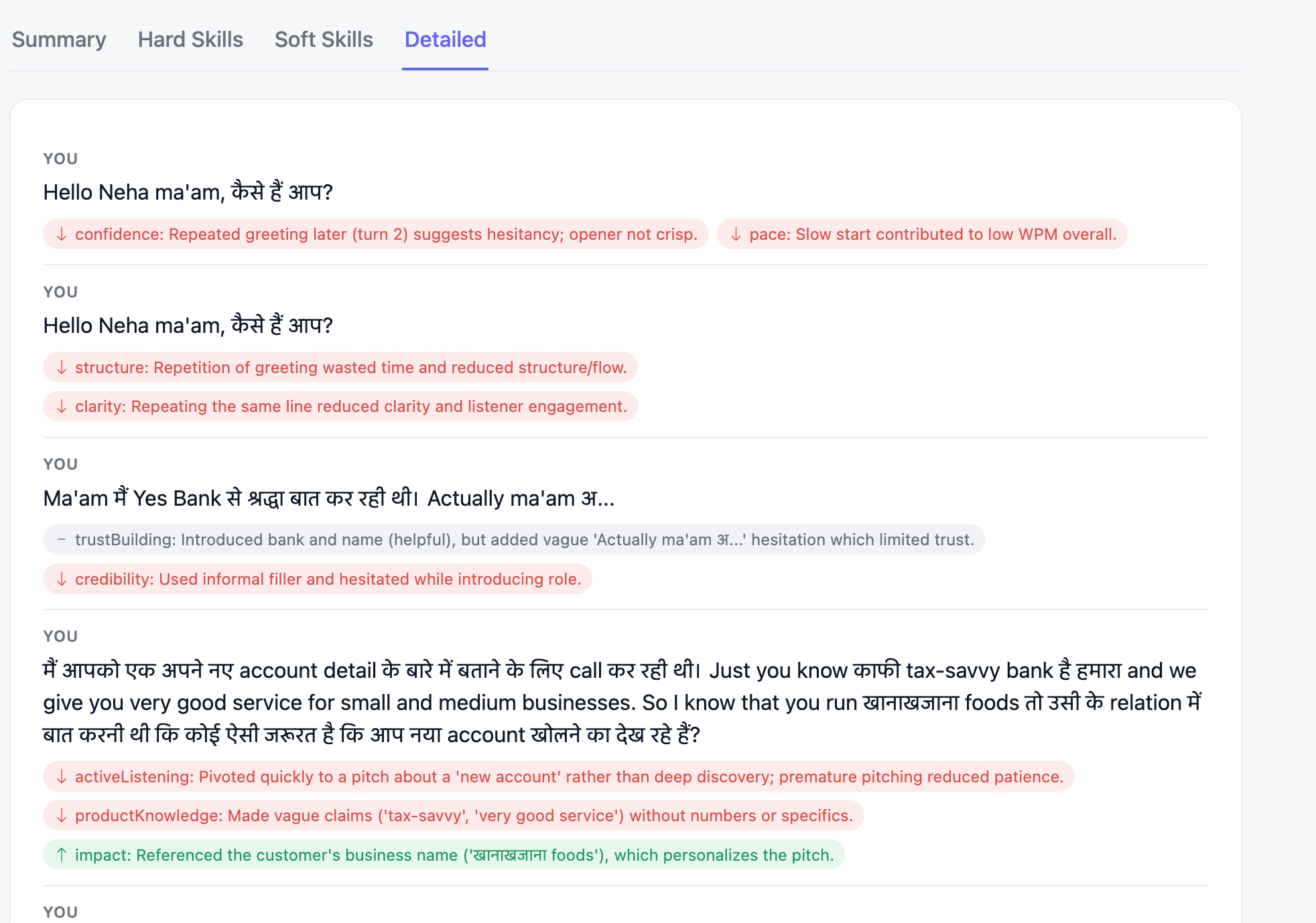
Replays the call turn by turn and tags each of your lines with the skills it helped or hurt. Each annotation has a direction: up (raised a skill), down (cost you on a skill), or neutral. Read this tab when a score surprises you — it points to the exact line that earned it.Reading the colors
- Red — low (fix first).
- Amber — mid (room to improve).
- Green — strong (keep doing it).
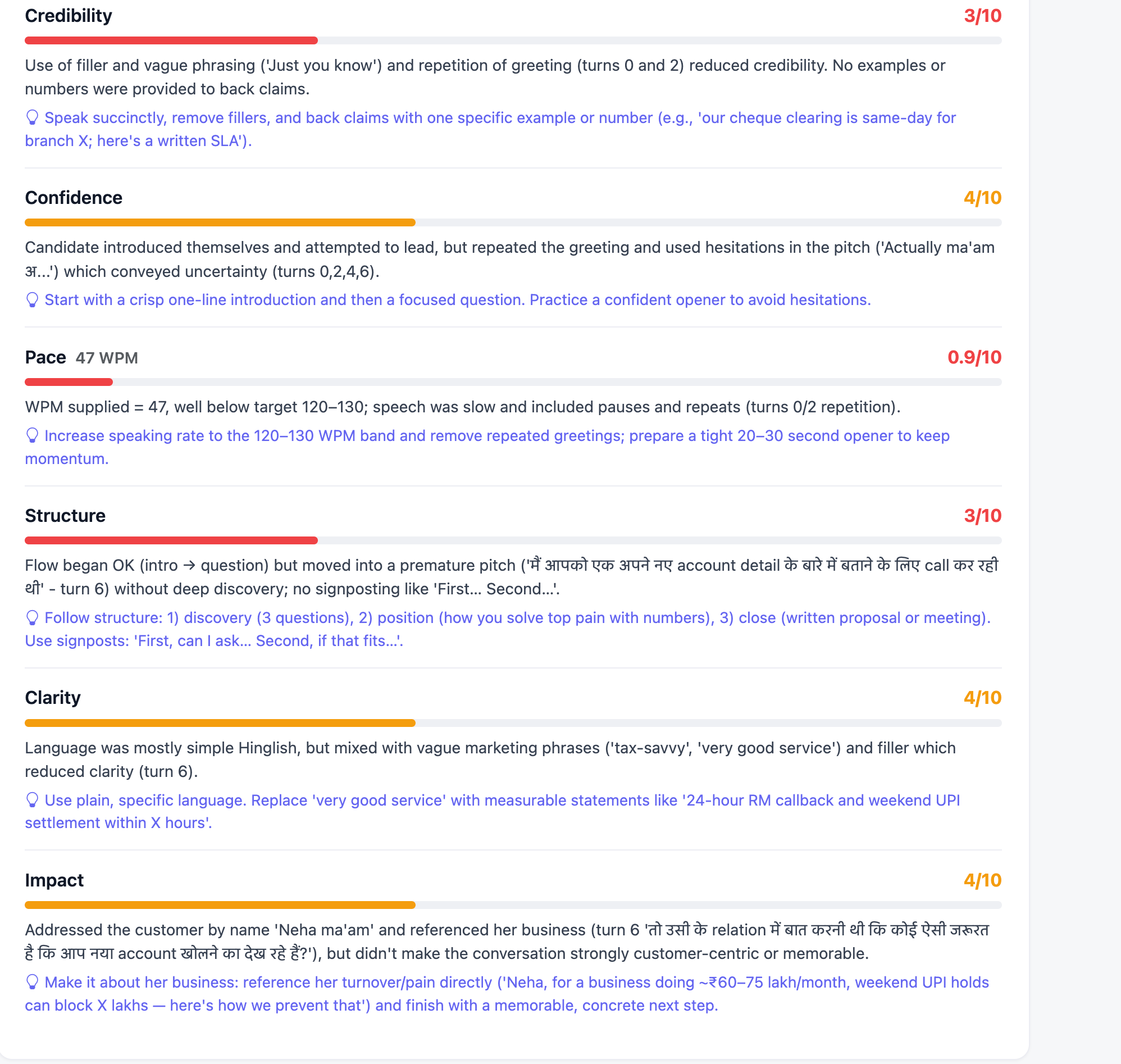
Turn feedback into your next rep
- Read the Summary first — the takeaway and the Covered / Not covered split show the gap in one glance.
- Pick your lowest-scoring skill. Fix one skill per attempt, not all of them.
- Find it in the Detailed tab to see what specifically caused it.
- Take the tip literally and rehearse the exact line it suggests.
- Re-run the same scenario and try to move that one number. Then pick the next lowest and repeat.