> ## Documentation Index
> Fetch the complete documentation index at: https://docs.uservox.ai/llms.txt
> Use this file to discover all available pages before exploring further.
# Test Conversation
> Turn real conversations into Test Conversations, run tests, review results, and compare versions.
The Test Conversation feature allows you to turn real conversations into repeatable tests. This guide walks you through the steps to create, run, and analyze test conversations.
***
## 1. Start from the Conversation page
* Open the conversation you want to test: `/conversation/:id`
* In the **Conversation Messages** header (top-right), click the three-dots button
* What you'll see:
* If a test already exists: **Go to Test Conversation** (opens in new tab)
* If no test exists: **Turn Into Test Conversation**
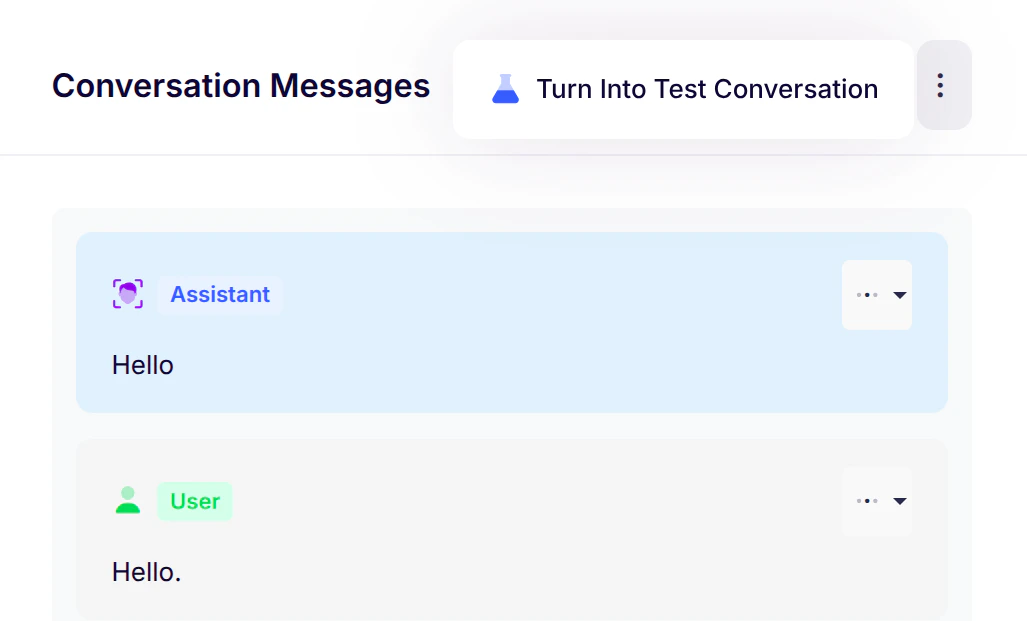 > **Tip**: The menu briefly shows "Checking..." while verifying test existence
***
## 2. Create a Test Conversation (first time)
When you click **Turn Into Test Conversation**, a setup window appears:
> **Tip**: The menu briefly shows "Checking..." while verifying test existence
***
## 2. Create a Test Conversation (first time)
When you click **Turn Into Test Conversation**, a setup window appears:
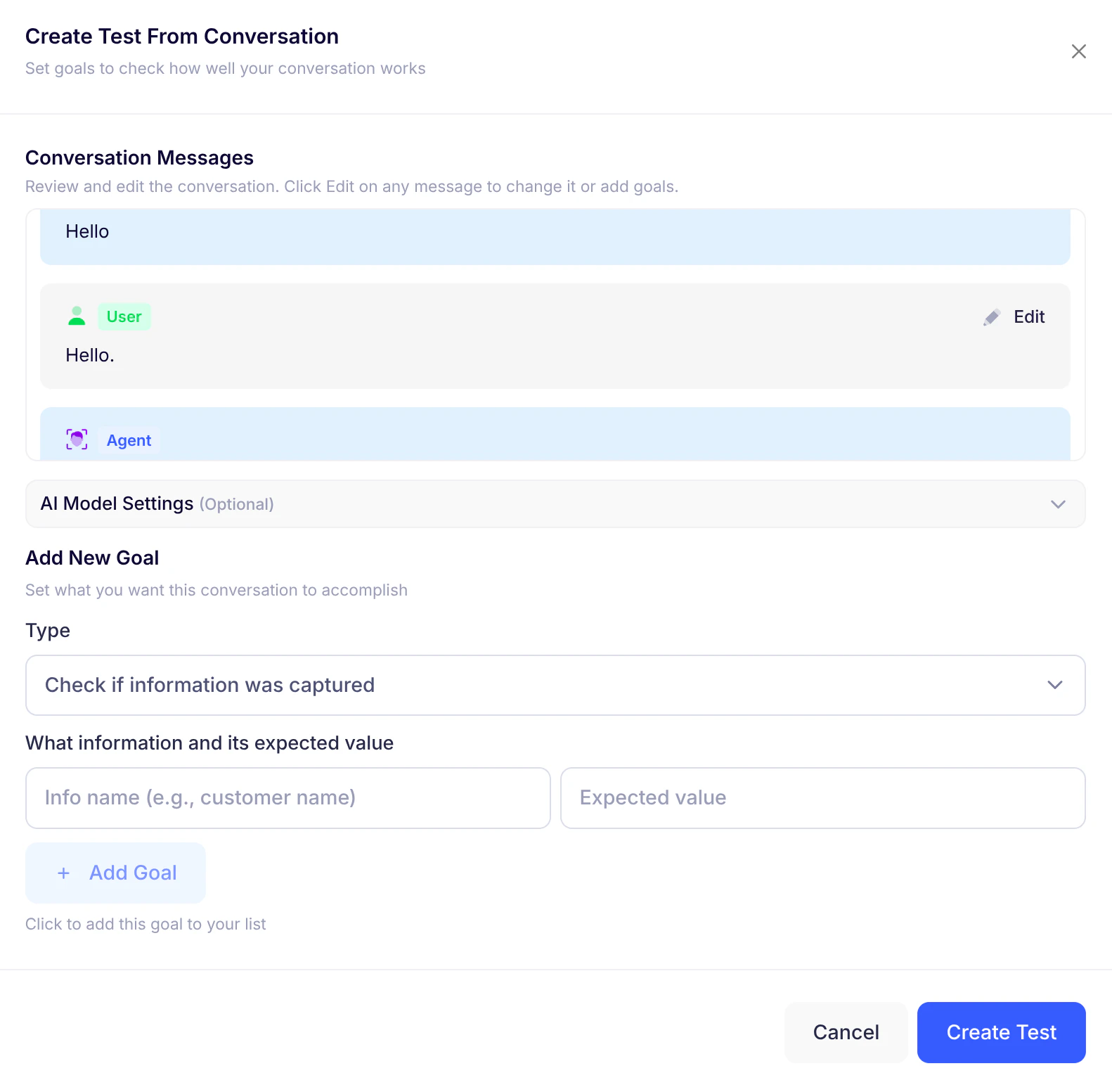 1. **Review/Edit messages** - Adjust wording or add checks if needed
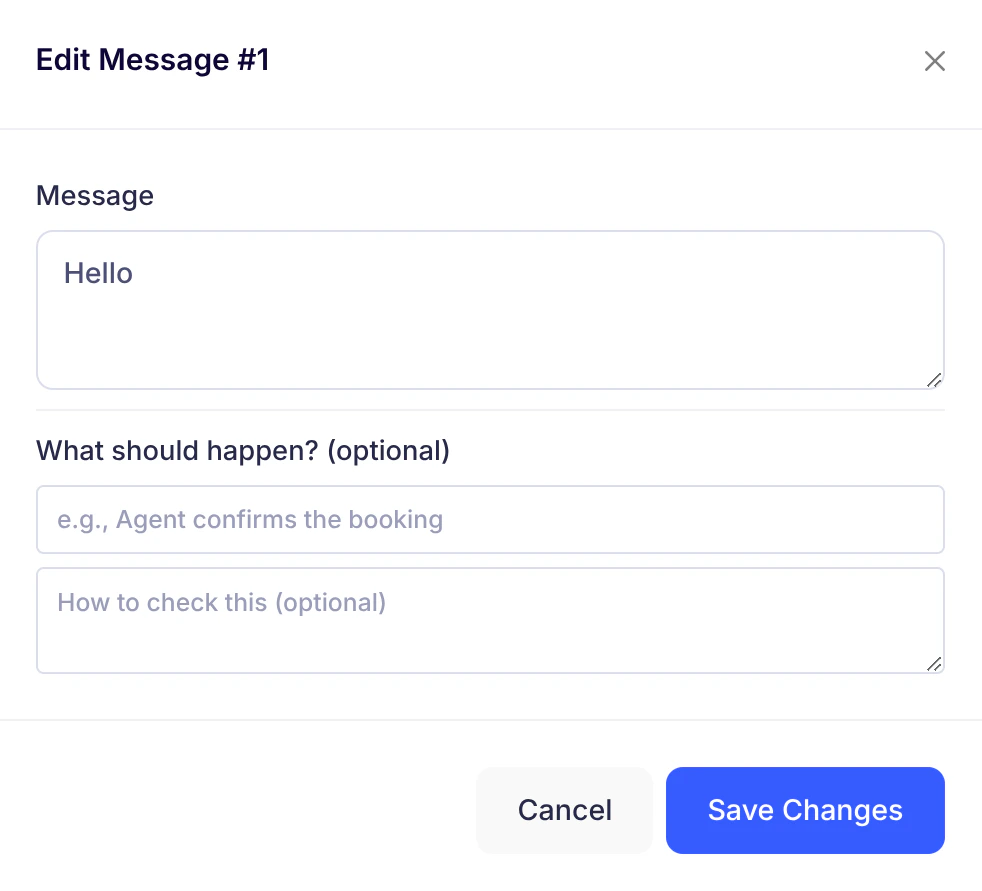 2. **Add goals** - Define success criteria:
* "Customer's name is captured"
* "Offer is explained clearly"
3. **Confirm AI settings** (optional) - Model/provider/temperature
4. Click **Create Test**
**What happens next**:
* Test space is created
* New tab opens to the Test Conversation dashboard (`/test-conversation/:id`)
***
## 3. Test Conversation dashboard
Your control center for testing and learning:
2. **Add goals** - Define success criteria:
* "Customer's name is captured"
* "Offer is explained clearly"
3. **Confirm AI settings** (optional) - Model/provider/temperature
4. Click **Create Test**
**What happens next**:
* Test space is created
* New tab opens to the Test Conversation dashboard (`/test-conversation/:id`)
***
## 3. Test Conversation dashboard
Your control center for testing and learning:
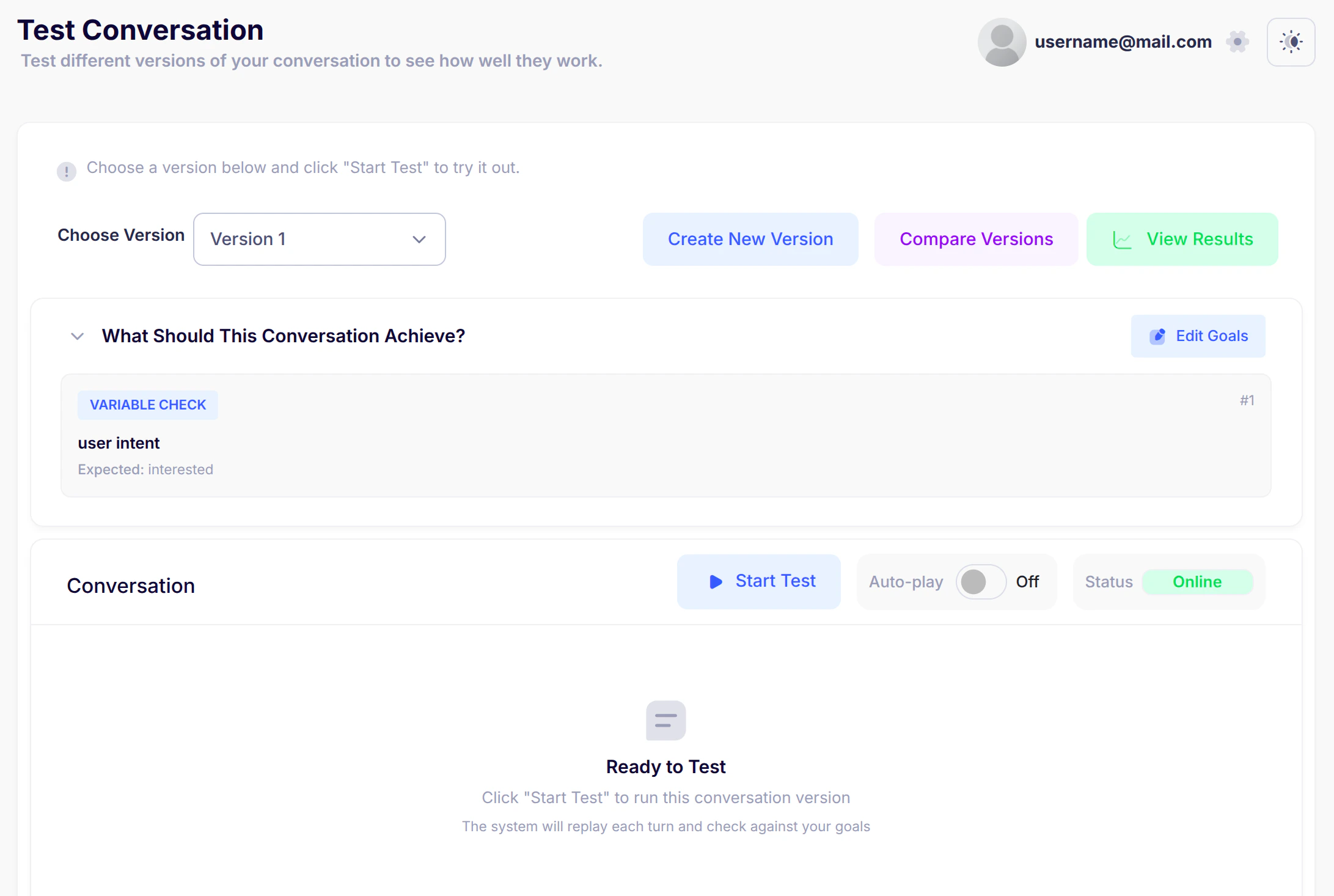 ### A) Version controls
 * **Choose Version**: Select which conversation version to test
* **Create New Version**: Duplicate existing or rebuild from original
* **Compare Versions**: View 2-3 versions side-by-side
* **View Results**: Access saved test runs
### B) Goals view
* **Choose Version**: Select which conversation version to test
* **Create New Version**: Duplicate existing or rebuild from original
* **Compare Versions**: View 2-3 versions side-by-side
* **View Results**: Access saved test runs
### B) Goals view
 * **What Should This Conversation Achieve?** - Expand to see goals
* **Edit Goals**: Refine success criteria anytime
### C) Test controls
* **What Should This Conversation Achieve?** - Expand to see goals
* **Edit Goals**: Refine success criteria anytime
### C) Test controls
 * **Auto-play toggle**: ON = automatic advancement, OFF = manual Continue button
* **Start Test**: Begin simulation
* **Stop Test**: End early (saves gathered results)
* **Connection Status**: System readiness indicator
### D) Conversation view
* Messages appear as the test runs
* Auto-play shows reminder when enabled
***
## 4. Run a test
1. Select version
2. Toggle Auto-play ON/OFF
3. Click **Start Test**
4. Watch conversation:
* Auto-play OFF: Click **Continue** at your pace
* Auto-play ON: Advances automatically
5. Click **Stop Test** anytime to end early
**Completion**: Toast appears - "Test completed! Results saved successfully"
* **Auto-play toggle**: ON = automatic advancement, OFF = manual Continue button
* **Start Test**: Begin simulation
* **Stop Test**: End early (saves gathered results)
* **Connection Status**: System readiness indicator
### D) Conversation view
* Messages appear as the test runs
* Auto-play shows reminder when enabled
***
## 4. Run a test
1. Select version
2. Toggle Auto-play ON/OFF
3. Click **Start Test**
4. Watch conversation:
* Auto-play OFF: Click **Continue** at your pace
* Auto-play ON: Advances automatically
5. Click **Stop Test** anytime to end early
**Completion**: Toast appears - "Test completed! Results saved successfully"
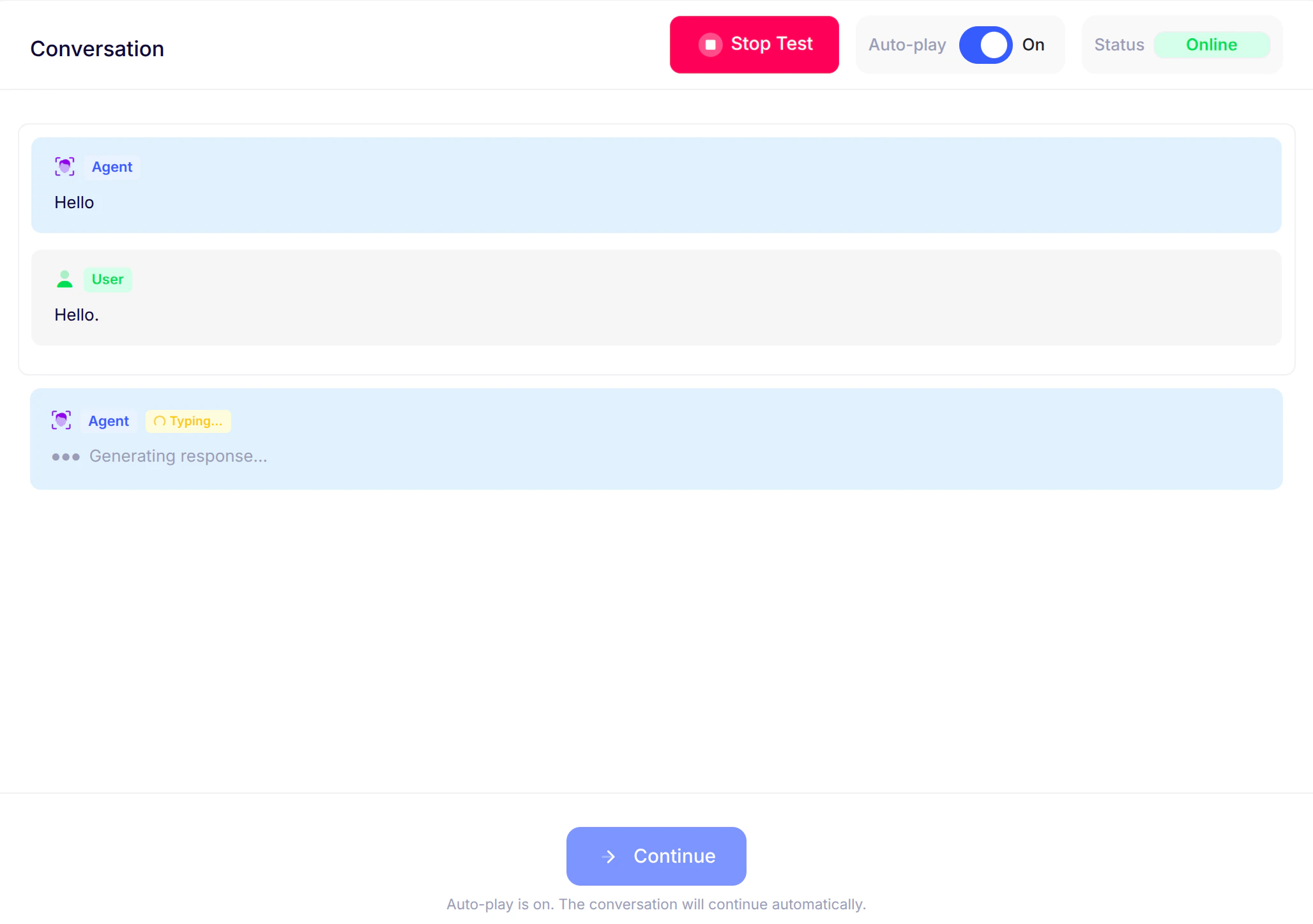 *Test conversation running with Auto-play enabled*
***
## 5. Create new versions
*Test conversation running with Auto-play enabled*
***
## 5. Create new versions
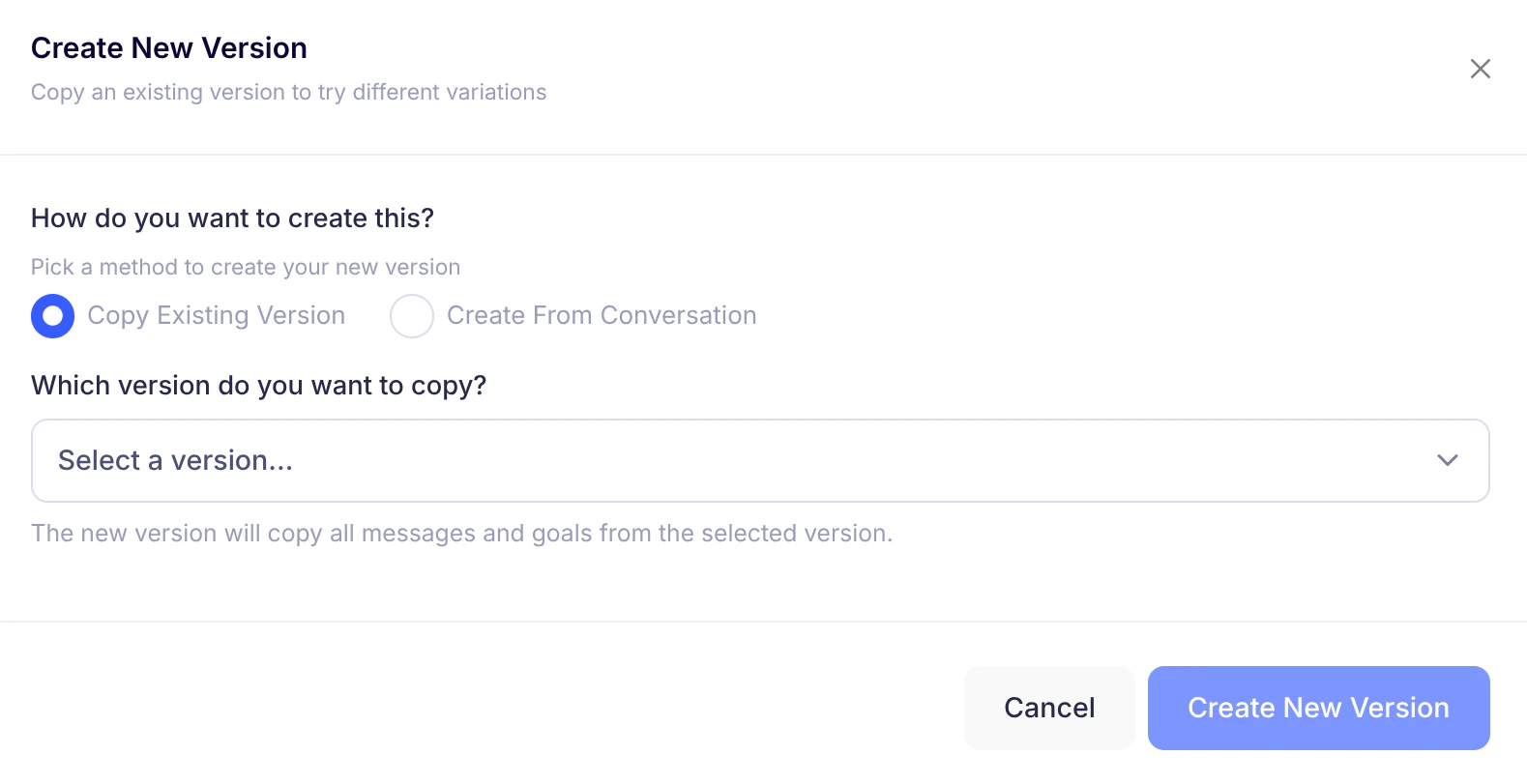 After initial setup, create variants:
* **Duplicate existing version**: Copies all messages/goals
* **Create from conversation**: Start from original messages
* Edit message content
* Adjust goals
* Confirm AI settings
***
## 6. Compare versions
After initial setup, create variants:
* **Duplicate existing version**: Copies all messages/goals
* **Create from conversation**: Start from original messages
* Edit message content
* Adjust goals
* Confirm AI settings
***
## 6. Compare versions
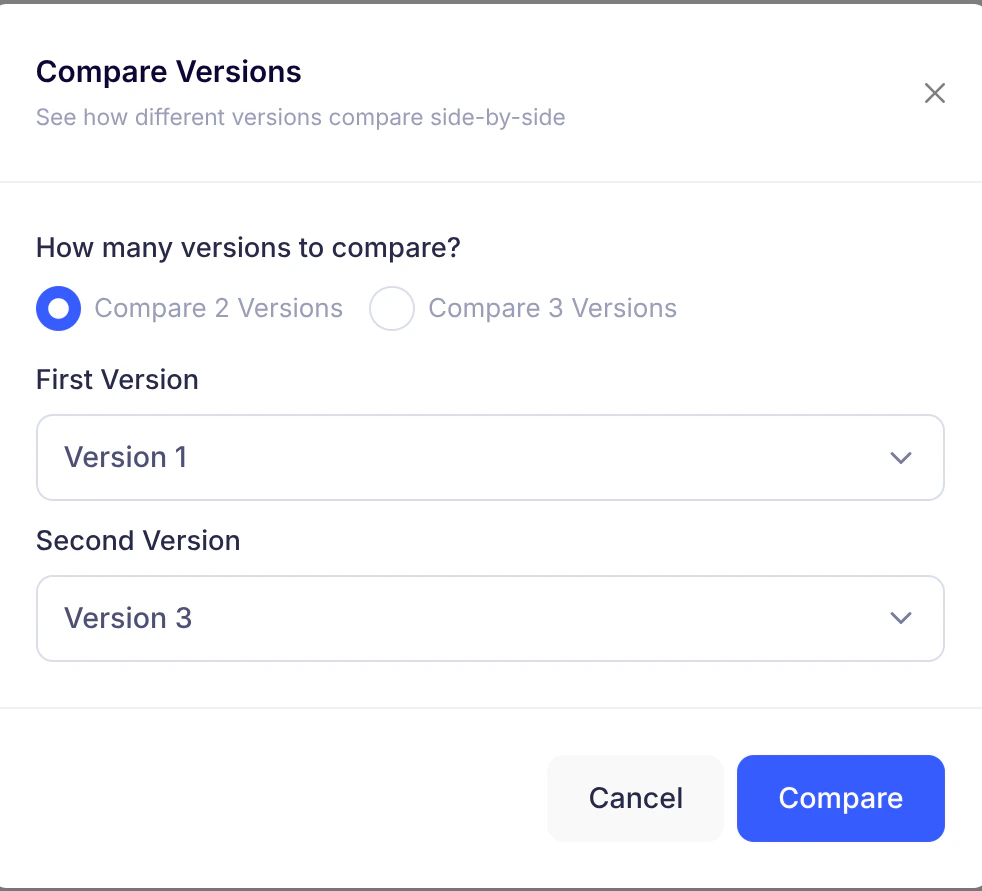 1. Click **Compare Versions**
2. Choose 2-3 versions
3. Select different versions per column
4. Click **Compare**
**Split view shows**:
* Full conversation flow per version
* Synchronized scrolling
1. Click **Compare Versions**
2. Choose 2-3 versions
3. Select different versions per column
4. Click **Compare**
**Split view shows**:
* Full conversation flow per version
* Synchronized scrolling
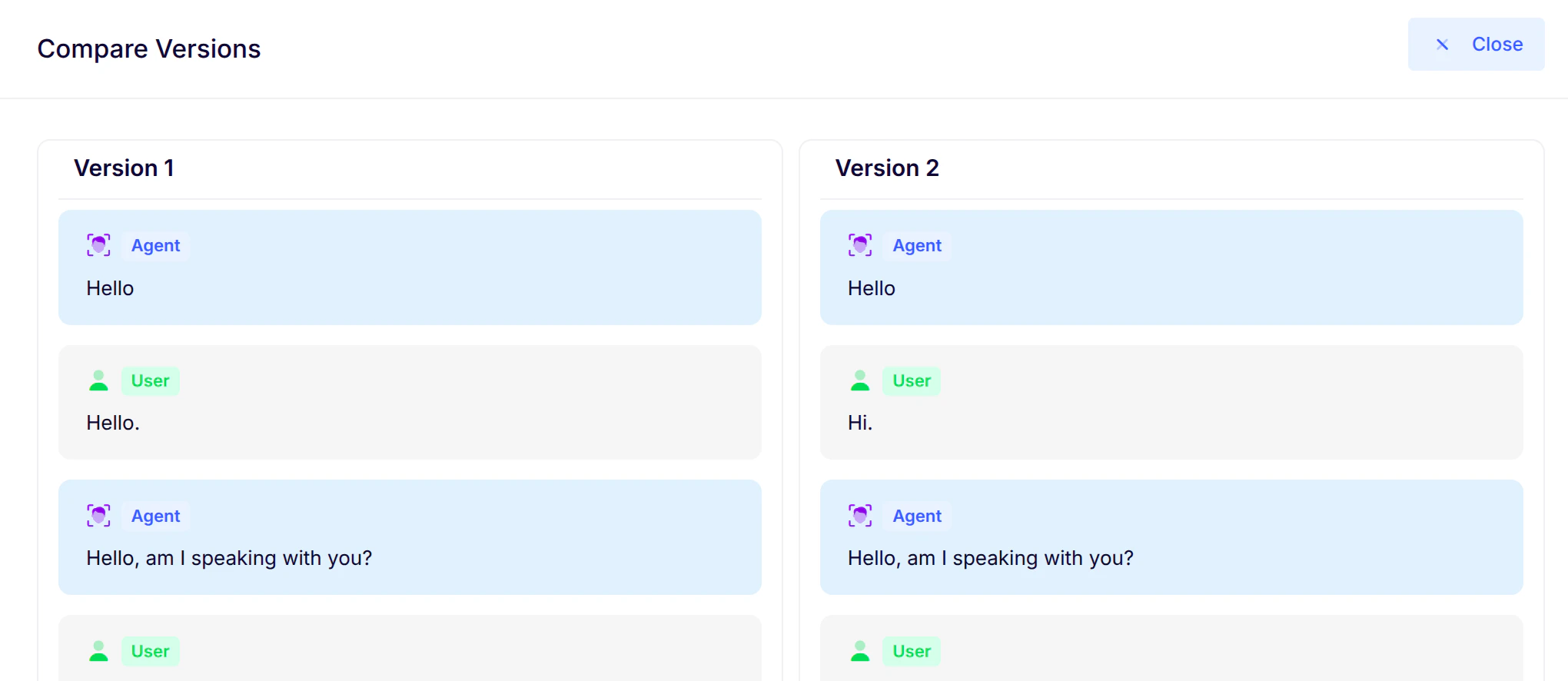 *Side-by-side comparison of conversation versions*
***
## 7. Edit goals
Refine success criteria anytime:
*Side-by-side comparison of conversation versions*
***
## 7. Edit goals
Refine success criteria anytime:
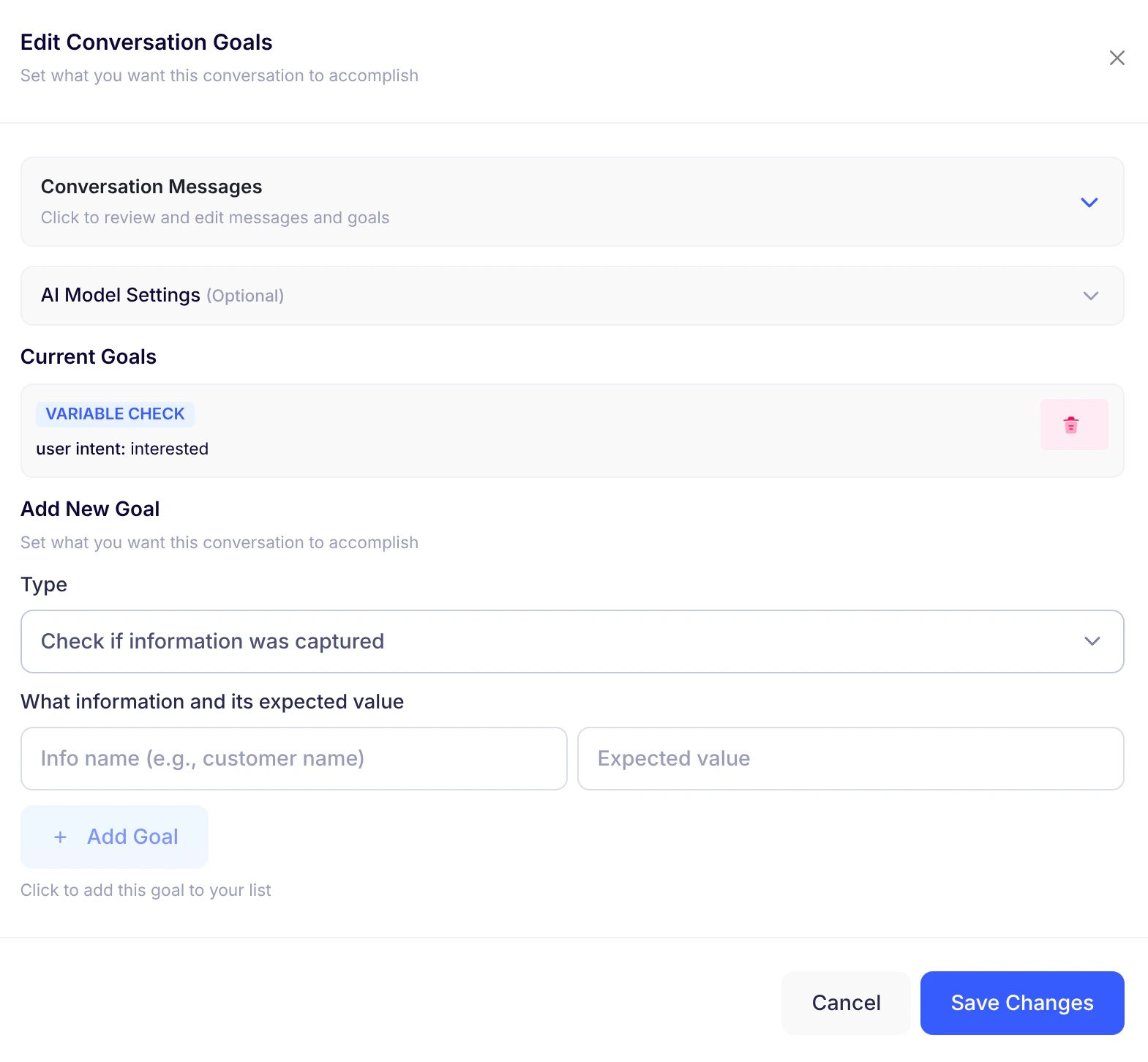 1. Review messages (jump to specific steps)
2. Adjust per-message checks
3. Confirm AI model settings (optional)
4. **Add New Goal**: Specify data to capture
5. Click **Save Changes**
> **Note**: Changes apply immediately to future tests
***
## 8. View test results
1. Review messages (jump to specific steps)
2. Adjust per-message checks
3. Confirm AI model settings (optional)
4. **Add New Goal**: Specify data to capture
5. Click **Save Changes**
> **Note**: Changes apply immediately to future tests
***
## 8. View test results
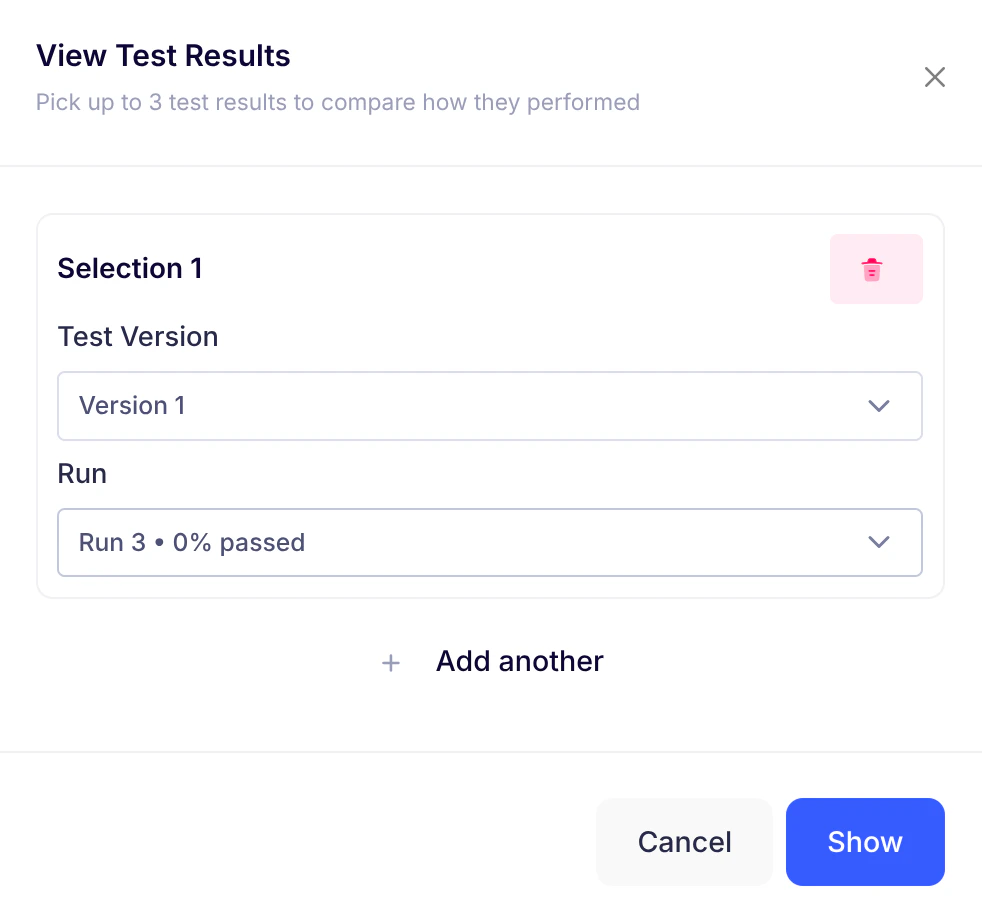 1. Click **View Results**
2. Select 1-3 runs
3. Click **Show**
1. Click **View Results**
2. Select 1-3 runs
3. Click **Show**
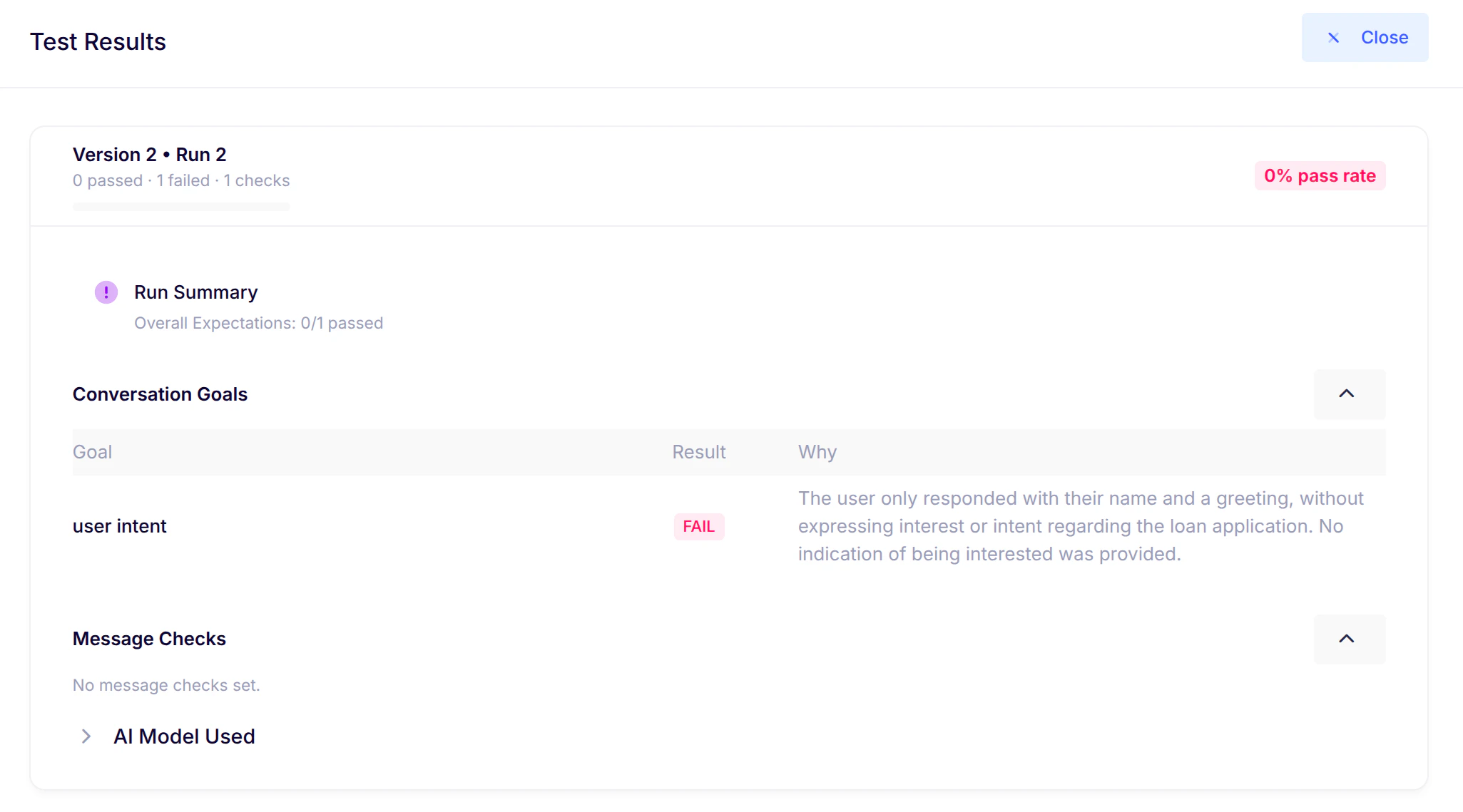 * **Results include**:
* Version label and run number
* Pass-rate badge (e.g., "82% pass rate")
* Progress bar
* Summary (when available)
* Goals table (Goal | Pass/Fail | Explanation)
* Message checks table
* AI model details (expandable)
***
## 9. Common messages
* **Creating Test...**: After initiating test creation
* **Test completed!**: Run finished successfully
* **Choose at least 2 versions**: Comparison requirement
* **Select different versions**: Comparison constraint
* **Failed to load results**: Temporary issue
* **Auto-play is on**: Turn advancement reminder
***
## 10. Best practices
* **Define clear goals** - Enables pass/fail results with explanations
* **Use Auto-play** - For uninterrupted testing
* **Review after each run** - Learn what worked/didn't
* **Compare versions** - Spot impact of conversation tweaks
* **Iterate and improve** - Saved results remain available
***
## Summary
With Test Conversations, you can:
* Turn real conversations into repeatable tests
* Measure performance against defined goals
* Compare different conversation versions
* Continuously improve based on clear metrics
Start testing today to optimize your conversation flows!
* **Results include**:
* Version label and run number
* Pass-rate badge (e.g., "82% pass rate")
* Progress bar
* Summary (when available)
* Goals table (Goal | Pass/Fail | Explanation)
* Message checks table
* AI model details (expandable)
***
## 9. Common messages
* **Creating Test...**: After initiating test creation
* **Test completed!**: Run finished successfully
* **Choose at least 2 versions**: Comparison requirement
* **Select different versions**: Comparison constraint
* **Failed to load results**: Temporary issue
* **Auto-play is on**: Turn advancement reminder
***
## 10. Best practices
* **Define clear goals** - Enables pass/fail results with explanations
* **Use Auto-play** - For uninterrupted testing
* **Review after each run** - Learn what worked/didn't
* **Compare versions** - Spot impact of conversation tweaks
* **Iterate and improve** - Saved results remain available
***
## Summary
With Test Conversations, you can:
* Turn real conversations into repeatable tests
* Measure performance against defined goals
* Compare different conversation versions
* Continuously improve based on clear metrics
Start testing today to optimize your conversation flows!