> ## Documentation Index
> Fetch the complete documentation index at: https://docs.uservox.ai/llms.txt
> Use this file to discover all available pages before exploring further.
# Process Dispositions
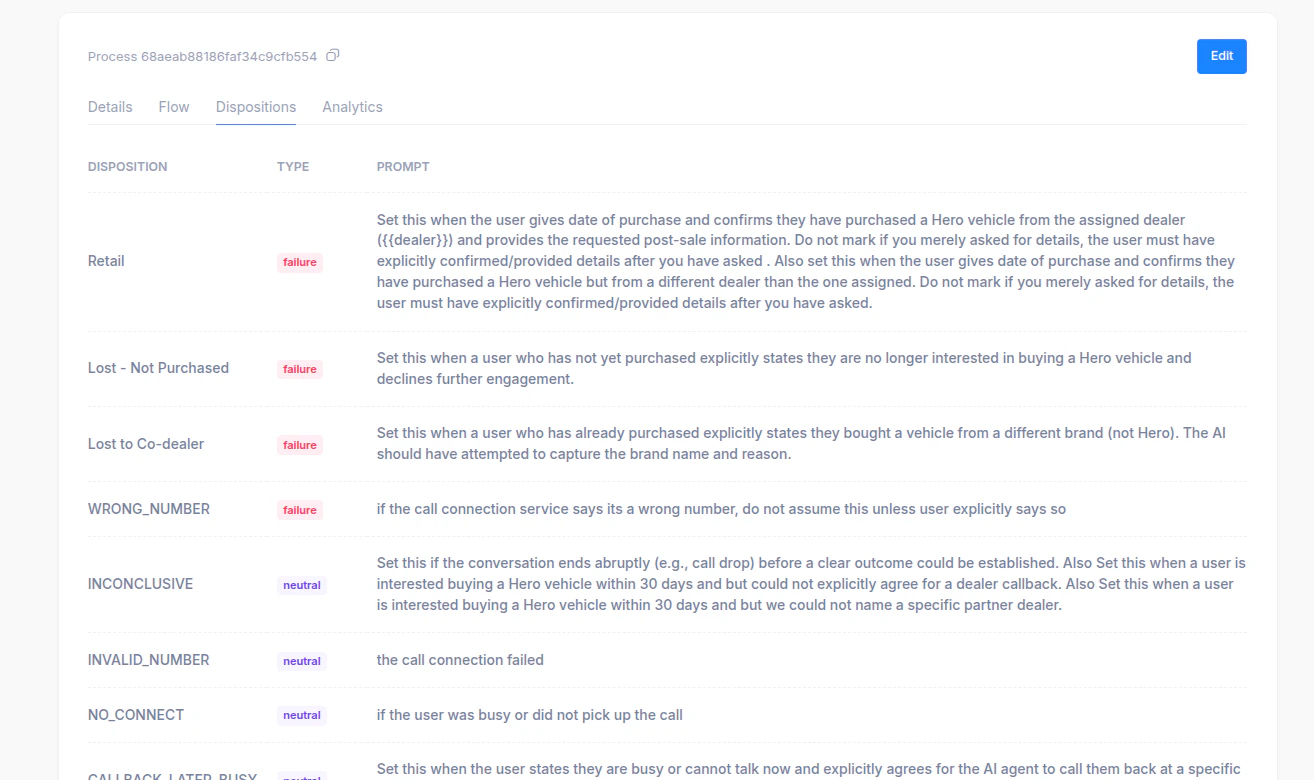
> A Disposition represents the final outcome or status of a call handled by the voice agent. It helps categorize the result of every interaction — whether successful, unsuccessful, or neutral — for tracking performance, analytics, and follow-up actions. Examples include: Retail, Lost - Not Purchased, Lost to Co-dealer, Wrong Number, Inconclusive, No Connect, Callback Later/Busy, Voicemail, etc.
Each disposition has three key attributes:
* **Disposition Name** – A short descriptive title for the call outcome.
* **Type** – The classification of the result:
* *Success* – Call achieved its goal (e.g., booking, confirmation) and will not be called again.
* *Failure* – The call ended with a negative outcome (e.g., user declined, wrong number) and will not be called again.
* *Neutral* – The call outcome was inconclusive or pending (e.g., voicemail, no connect) and will be called again via AI Bot.
* **Prompt/Description** – A detailed note guiding when to use that disposition, helping agents or AI systems mark calls consistently.
 ***
### **How to Add, Edit, or Remove Dispositions**
***
### **How to Add, Edit, or Remove Dispositions**
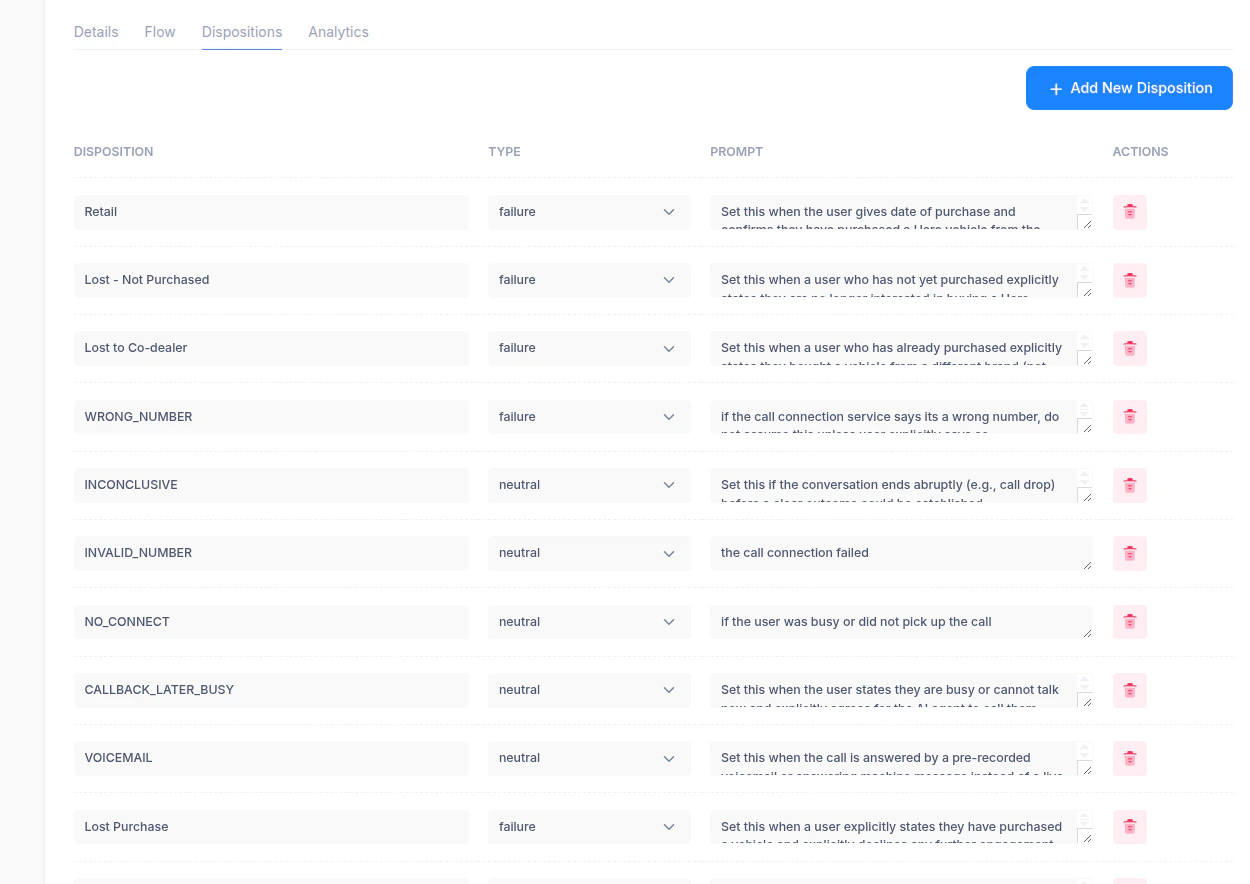 **1. Adding a New Disposition**
* Click the **“+ Add New Disposition”** button on the top right of the screen.
* Enter:
* **Disposition Name** (e.g., “Interested - Follow Up”)
* **Type** (choose *success*, *failure*, or *neutral* from the dropdown)
* **Prompt/Description** explaining when this disposition should be used.
* Click **Save** to add it to the list.
**2. Editing an Existing Disposition**
* Locate the disposition in the list.
* Click inside any editable field (Name, Type, or Prompt).
* Make the necessary updates.
* Changes are saved automatically or upon clicking **Save/Edit** (depending on configuration).
**3. Removing a Disposition**
* Click the **trash icon** 🗑️ in the *Actions* column next to the disposition you want to delete.
* Confirm the deletion when prompted.\
*(Note: Deleted dispositions will no longer be available for assignment in call flows or analytics.)*
**1. Adding a New Disposition**
* Click the **“+ Add New Disposition”** button on the top right of the screen.
* Enter:
* **Disposition Name** (e.g., “Interested - Follow Up”)
* **Type** (choose *success*, *failure*, or *neutral* from the dropdown)
* **Prompt/Description** explaining when this disposition should be used.
* Click **Save** to add it to the list.
**2. Editing an Existing Disposition**
* Locate the disposition in the list.
* Click inside any editable field (Name, Type, or Prompt).
* Make the necessary updates.
* Changes are saved automatically or upon clicking **Save/Edit** (depending on configuration).
**3. Removing a Disposition**
* Click the **trash icon** 🗑️ in the *Actions* column next to the disposition you want to delete.
* Confirm the deletion when prompted.\
*(Note: Deleted dispositions will no longer be available for assignment in call flows or analytics.)*